Giving the kids a chatbot that never leaves the house
My kids kept watching me talk to a computer and asked for a turn. Instead of handing them a grown-up chatbot, I built them their own: it lives on the family server, picks its tone by age, reads answers aloud in three languages, remembers their dragons, and never hands a conversation to a cloud AI service. A tour, minus the jargon.
The demo effect
If you talk to a computer at the kitchen table long enough, an audience assembles. Mine is seven to thirteen years old, and the question was inevitable: “Can we try?”
Not really, was the honest answer. The chatbots everyone knows are built for adults, and they assume you’re fine with your questions travelling to a datacenter somewhere. A reasonable trade for me; a strange one to make for a seven-year-old who wants to know if unicorns sneeze.
But I already had a small AI server humming at home, doing dull grown-up things. So the house got its own chatbot. The kids’ edition.
What they actually got
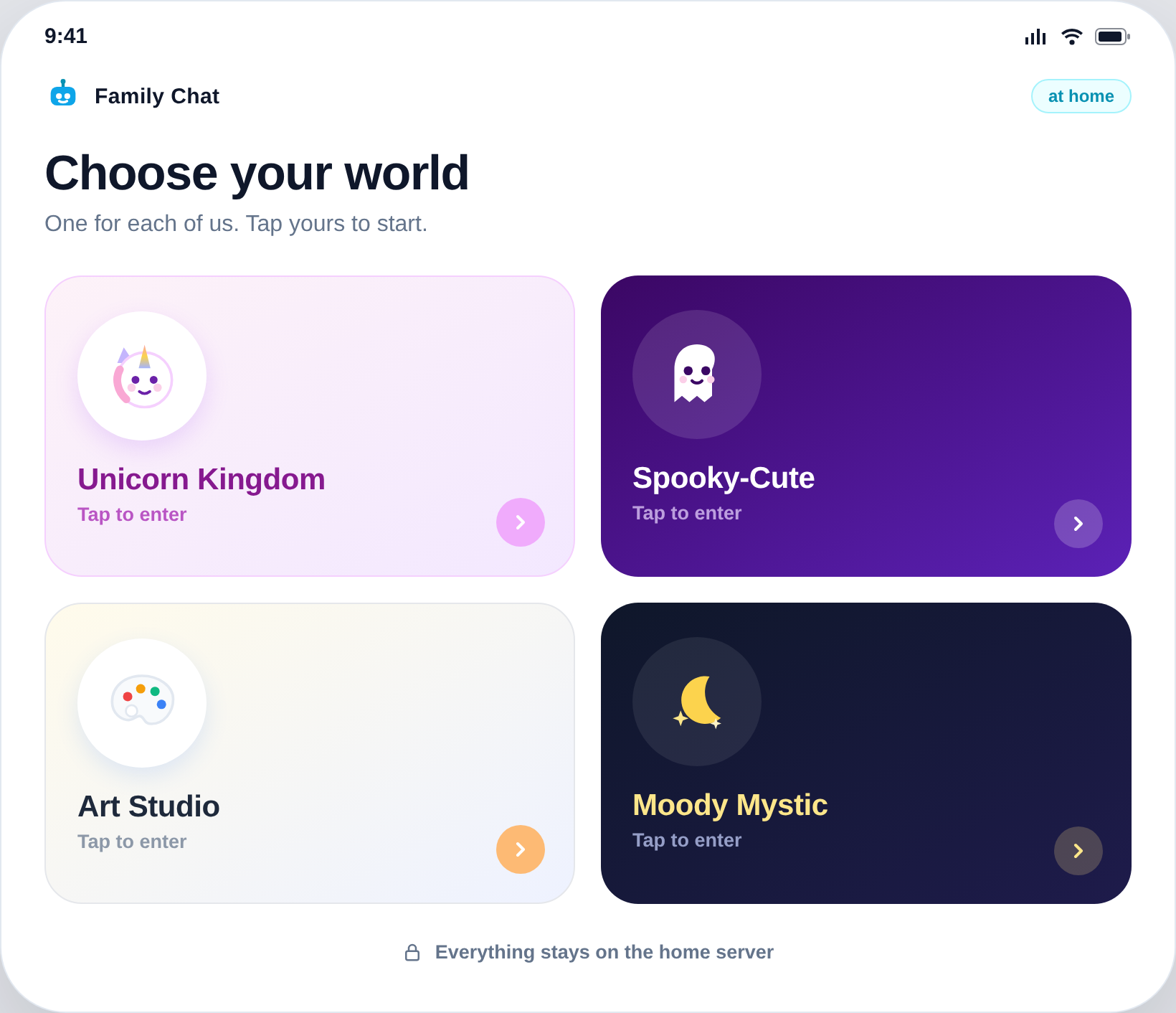
On their tablets it looks like any app: an icon, a splash screen, no browser bar. Each kid opens their world: a unicorn kingdom, a spooky-cute vibe, an art studio, a moody mystic theme. The mascot greets them, they type or hold a microphone button, and the answer comes back in text and out loud, in a soft voice that doesn’t sound like a GPS.
The small things mattered most. The voice reads answers sentence by sentence, so it starts talking quickly instead of leaving a child in front of a silent screen. The speaker button spins while thinking and pulses while talking, because for kids no feedback means broken, and broken means pressing the button eleven more times.
It talks the way you’d talk to that kid
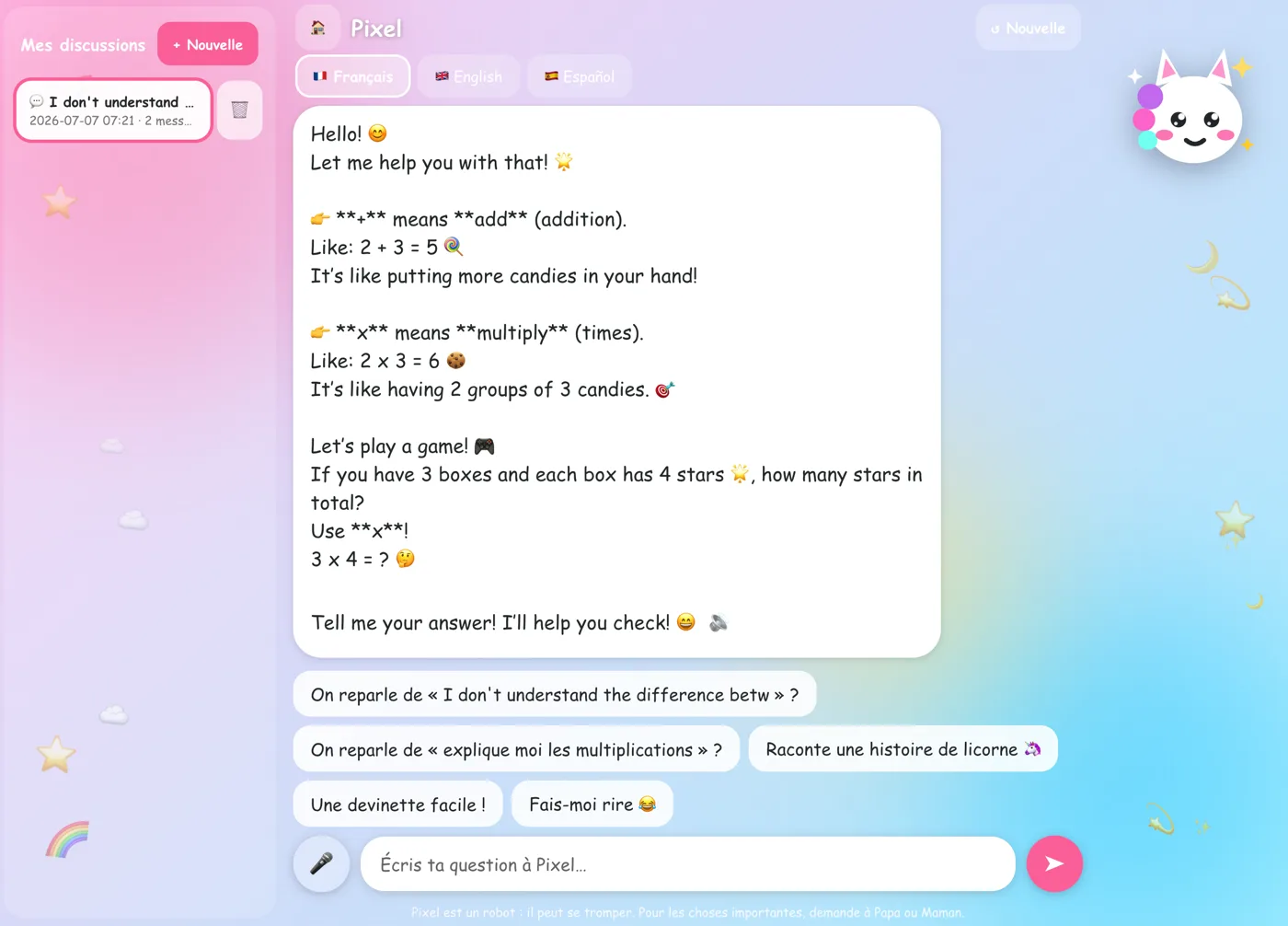
My favourite part of the design: the system doesn’t have one personality, it has a tone dial keyed to age. The same question gets different vocabulary, length, and emoji budget (yes, a real setting) depending on who’s asking, with a strict no baby-talk clause for the teenager, because nothing kills a tool’s credibility at thirteen like being addressed as a toddler.
“Why do stars twinkle?”, as answered for each age bracket:
Refusals get the same treatment: a gentle redirect for the little ones, a straight explanation for the teens. A refusal that sounds like a legal disclaimer is just an invitation to try again in a weirder way.
It speaks our languages
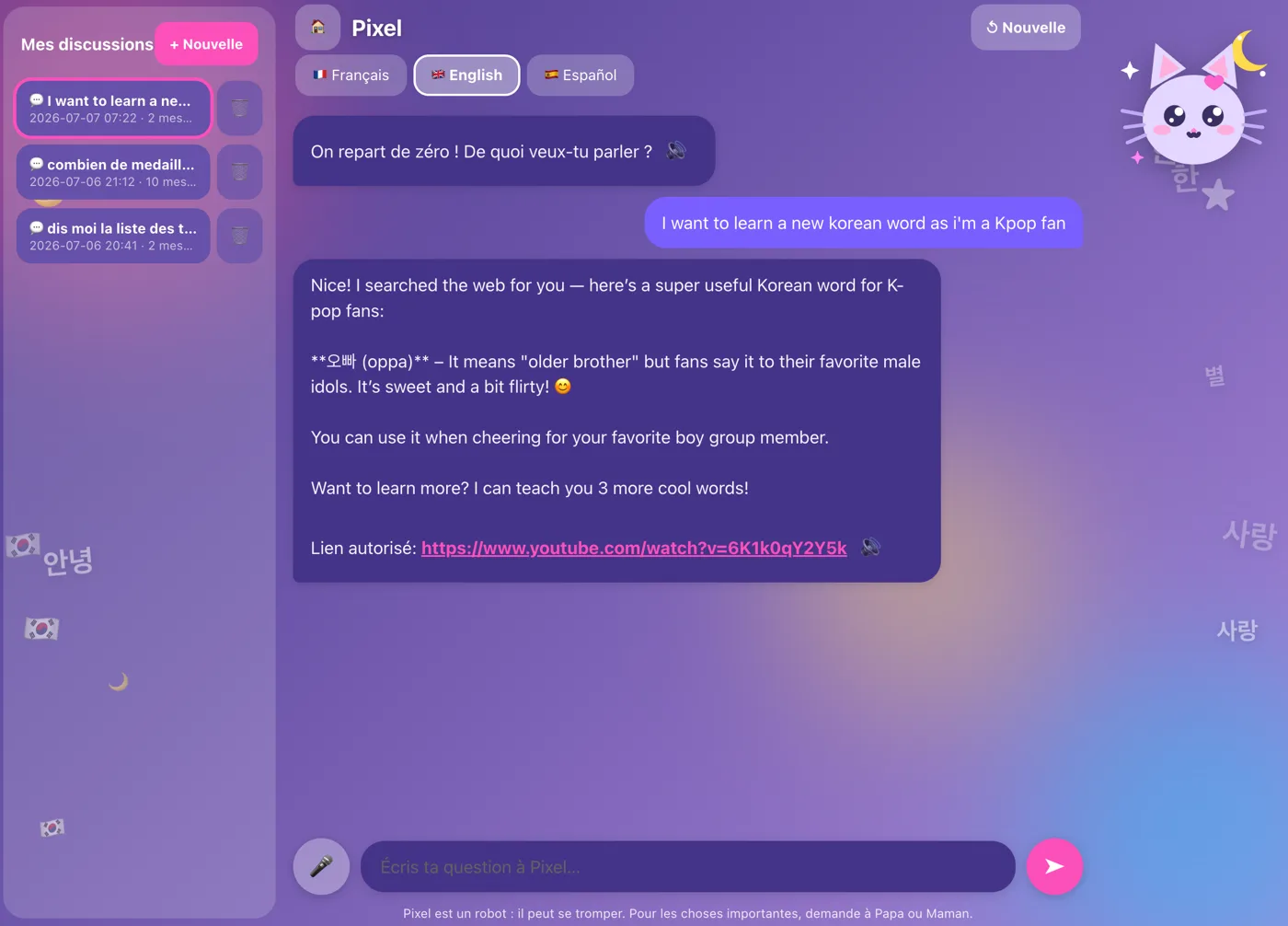
Our household mixes languages, so the chatbot keeps up: it converses in French, Arabic, English and Spanish, each conversation locked to one language at a time, plus a learning French mode that eases the kids still building it.
The voice runs at home too. Text-to-speech is a small open model from a French lab (Kyutai’s Pocket TTS); speech recognition is Whisper (the lightweight faster-whisper build), which copes with all four languages and with small humans standing too close to the mic. Arabic speech output is the one missing piece, and the candidate we’re testing looks promising.
Guardrails, but cheerful ones
There are rails, and strict instructions per age. Web search is the one thing that reaches the outside world: when a child asks something like “who is the fastest animal?”, the query goes to a privacy-first search engine with safe-search forced on, stripped of anything personal, and the AI rephrases what it finds rather than dropping a raw link in front of a seven-year-old (only the oldest bracket ever sees a link). Safe-search isn’t magic, so the age rails do the rest. Plus PINs, daily quotas, and a bedtime curfew, because an infinite patient storyteller at 11pm is a design flaw, not a feature.
And one rail I hope never fires: if the conversation drifts somewhere heavy, the kind of thing a child should really talk through with a person, the AI doesn’t try to handle it alone. It gently says so and flags the parent view, so a grown-up they trust can pick it up. The kids know the parent view exists; that’s the point. It’s a nudge toward a real adult, not a diagnosis.
It remembers their dragons, then sleeps on it
Each child has a private memory. If a dragon named in March returns in June, the chatbot remembers, which at eight is the difference between a tool and a friend who listens.
But it doesn’t hoard. Every night at 3:30 it re-reads the day, distills it into a few small facts per child, and drops the raw transcript from its memory: keep the gist, forget the noise. (The parents’ archive still holds the full log; more on that below.) If that sounds familiar, it’s roughly what your brain does during sleep. I’d love to claim the symmetry was intentional; it was just the correct engineering answer, which is even better.
Parents see everything, and the delete button tells the truth
There’s a parent view with the full picture: what was asked, what was answered, the stats. The kids know, and the transparency is the safety feature. Their delete button is honest too: it hides a conversation from their own view (no shame about asking something silly twice), but the family archive (the parents’ private log, separate from the AI’s memory) keeps it, and a parent can restore it. No secret shredder.
Under the hood, briefly
Everything runs on one second-hand PC. The brain is a 30-billion-parameter open model that fits on an 8 GB GPU thanks to a Mixture-of-Experts design (only a slice of it runs per word) plus heavy quantisation; since the card is full, the whole voice pipeline runs on the CPU, which is fine. Every model is open-weights. Beyond the PC itself, the running cost is basically electricity.
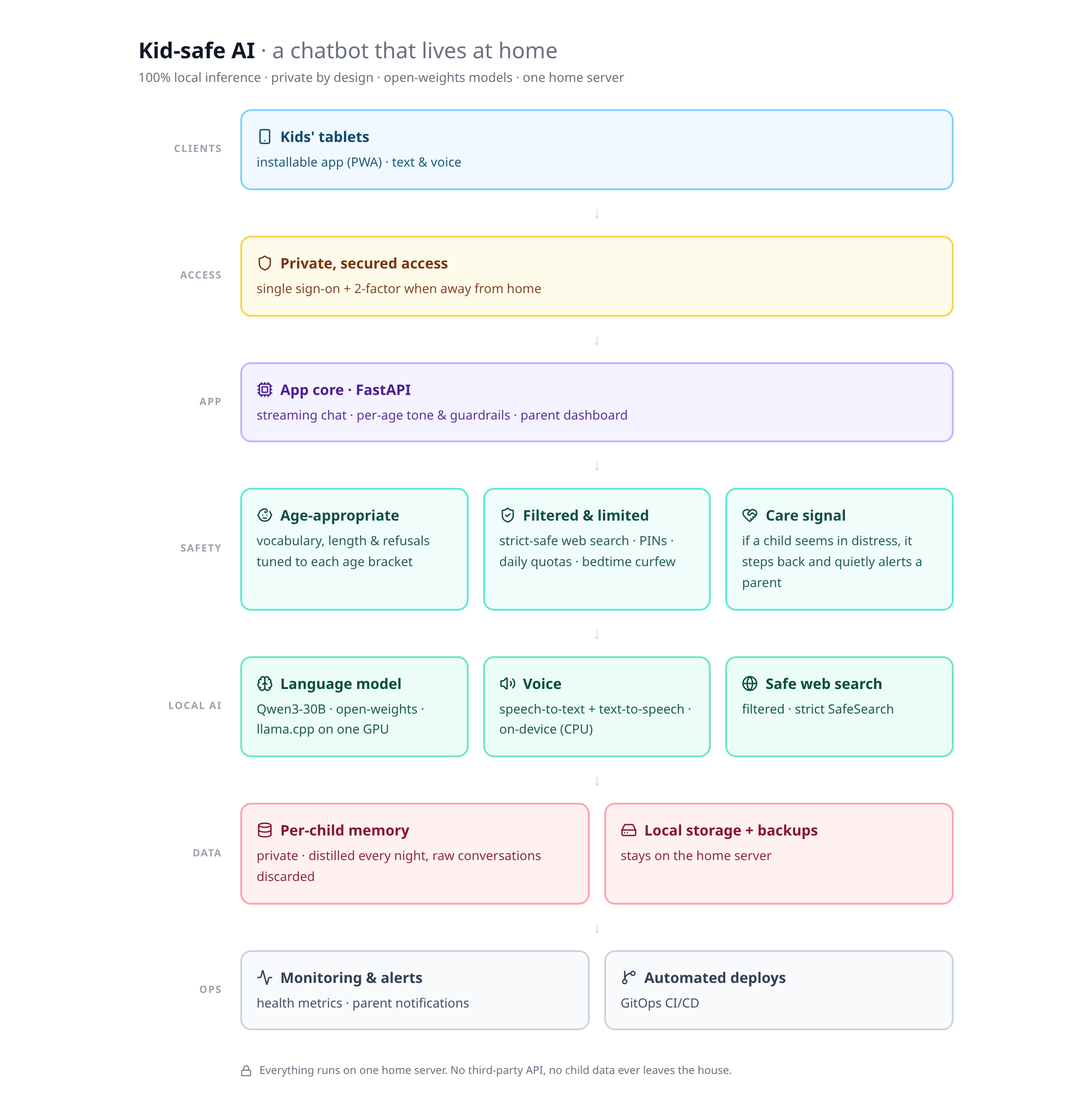
No conversation ever leaves the house: not a voice note, not a dragon’s name.
Why bother
A cloud service would have taken an afternoon and answered faster. But some questions a child asks a machine are ones they’re not ready to ask a person yet, and those deserve to stay home. Besides, the same machine that files my invoices now does dramatic readings about sneezing unicorns, in a soft voice, in three languages. Of everything I’ve built this year, it’s the one I’m happiest to have shipped.
Curious but short on time? The guided demo walks you through all of it in two minutes, with fictional kids and not a single real conversation.